

For years, I have used (and recommended) two Bluetooth keyboards, primarily when I am using my iPad. I tend to use Apple’s Wireless Keyboard more; it’s reasonably thin and light, and I like that it’s a full-size keyboard, which is not the case with most of the other portable keyboards for the iPad. If I have a complaint, it’s that it is too big and clunky – of course it’s all relative, but if I could find a Bluetooth keyboard that was smaller, I’d jump at it in a heartbeat.
The Logitech Ultrathin Keyboard Cover is a thinner, smaller keyboard, and I do like it a lot, but I could never get into using it with my iPad – I prefer to keep a cover on my iPad, and you can’t have a cover and use the Ultrathin Keyboard Cover. It’s either one or the other. That means if you happen to drop it, you might be more like to suffer real damage, especially if the case comes open during the fall.
But Logitech recently released a Bluetooth keyboard that has the potential to replace both the Apple and Ultrathin keyboards – for me, anyway. Its new Keys-To-Go keyboard is a significant departure from what you might think of in a mobile keyboard – but it also may be just what you’ve been waiting for. Keys-To-Go is a flat, rectangular board, measuring 5.39″ tall by 9.53″ wide, and weighing a mere 6.35 ounces. It’s not a full-size keyboard; by comparison, the Apple Wireless Keyboard is 5.12″ tall by 11.06″ wide, and weighs almost 12 ounces.

It doesn’t feel exactly like a “mini” keyboard, however – it was relatively easy for me to type without my fingers stumbling over each other. More on that later.
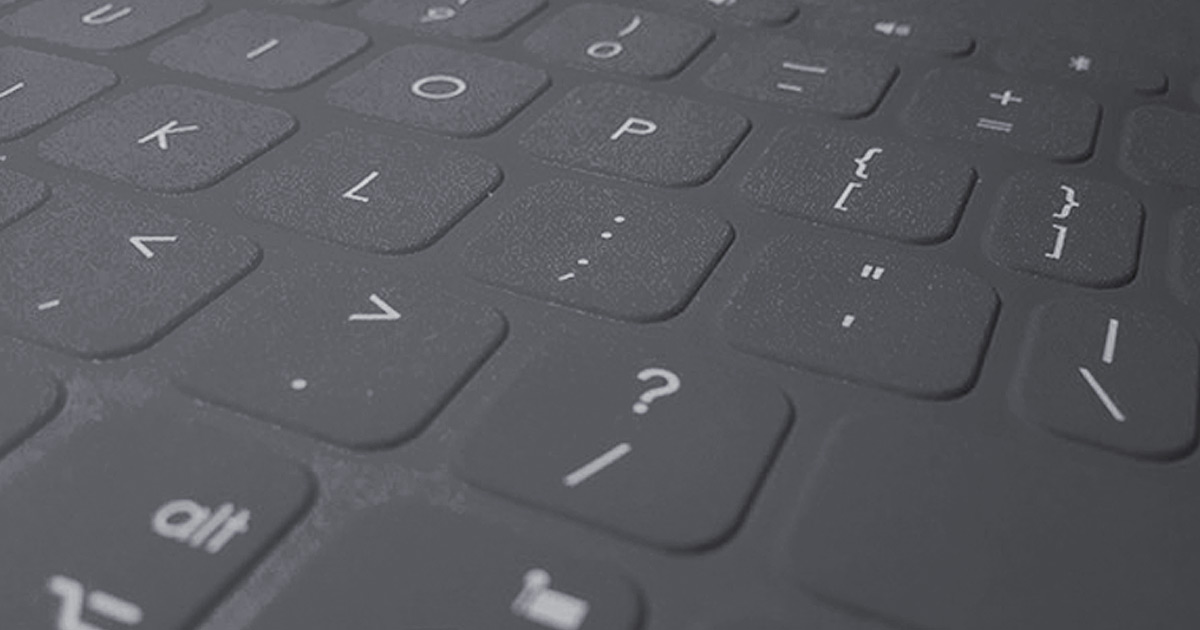
The keyboard is made of FabricSkin, a material Logitech has used on other iPad keyboard folios. The material is water resistant and easy to clean – it feels very sturdy to the touch. Some reviewers have complained that the FabricSkin feels cheap to the touch – it doesn’t feel that way to me, but I’m also not looking for luxury in a portable keyboard.
The keys are almost flush with the keyboard itself; just enough is raised so that your fingers can move from key to key. And although the keyboard itself is very thin (1/4 inch), when you type on it, you can very clearly feel the keys being depressed. This has been an issue I have experienced with other “flat” keyboards, and Keys-To-Go is definitely the most successful at maintaining a true typing experience. That said, some of the keys – most notably the spacebar – would not always work when I pressed down. This is very much the exception and not the rule, and I think that it will go away the more I use it – but it’s what I noticed most with the keyboard out of the box. Not a dealbreaker for me, however – I would still use this keyboard.

Keys-to-Go is designed for iOS devices – iPads, iPhones, and Apple TV. That’s why the top row is full of great shortcuts for your i-Device. With a press of the right button, you can:
- Go to the Home Screen
- Open a preview of currently running apps
- Open Spotlight Search
- Bring up the virtual keyboard
- Take a screenshot of the current screen
- Music/video controls – Stop/Pause, Fast Forward, Rewind, and Volume Controls
The keyboard is rechargeable, and boasts a three-month battery life. A USB cable comes with the keyboard so you can charge it.

Other reviewers have said that there are better, more responsive keyboards out there for the iPad and other iOS devices, and they are probably right. The main reason I’ll be using Keys-to-Go as my primary portable keyboard is its size – it is so thin and light, it is much easier to store and carry than any other Bluetooth keyboard I have owned. I’m used to a smaller keyboard, and I’m also not a snob about the feel of the FabricSkin. It’s priced at $70, which is the same as Apple’s Wireless Keyboard – a cheaper price point might have been nice, but in all I’m satisfied with this keyboard.
Logitech Keys-to-Go Keyboard | $69.99 | Available in Black, Red and Teal