

Lawyers spend too much time on administrative tasks, leaving only 2.9 to 3.0 hours daily for billable work. This imbalance impacts revenue, with firms collecting just $910 for every $1,000 billed and facing delays of 93 days in revenue collection.
Here’s how to fix it:
- Automate repetitive tasks: Tools like The Legal Assistant handle client intake, document creation, and task management, saving hours daily.
- Standardize processes: Clear workflows for billing, client onboarding, and case management reduce errors and improve efficiency.
- Delegate effectively: Assign tasks to paralegals, virtual assistants, or support staff to free lawyers for high-value work.
- Streamline billing and scheduling: Automate time tracking and invoicing, and integrate calendars to avoid missed deadlines.
- Outsource non-core functions: Offload payroll, IT, or marketing tasks to external experts to cut costs and boost productivity.

Law Firm Administrative Burden Statistics and Impact on Billable Hours
Use Workflow Automation with The Legal Assistant
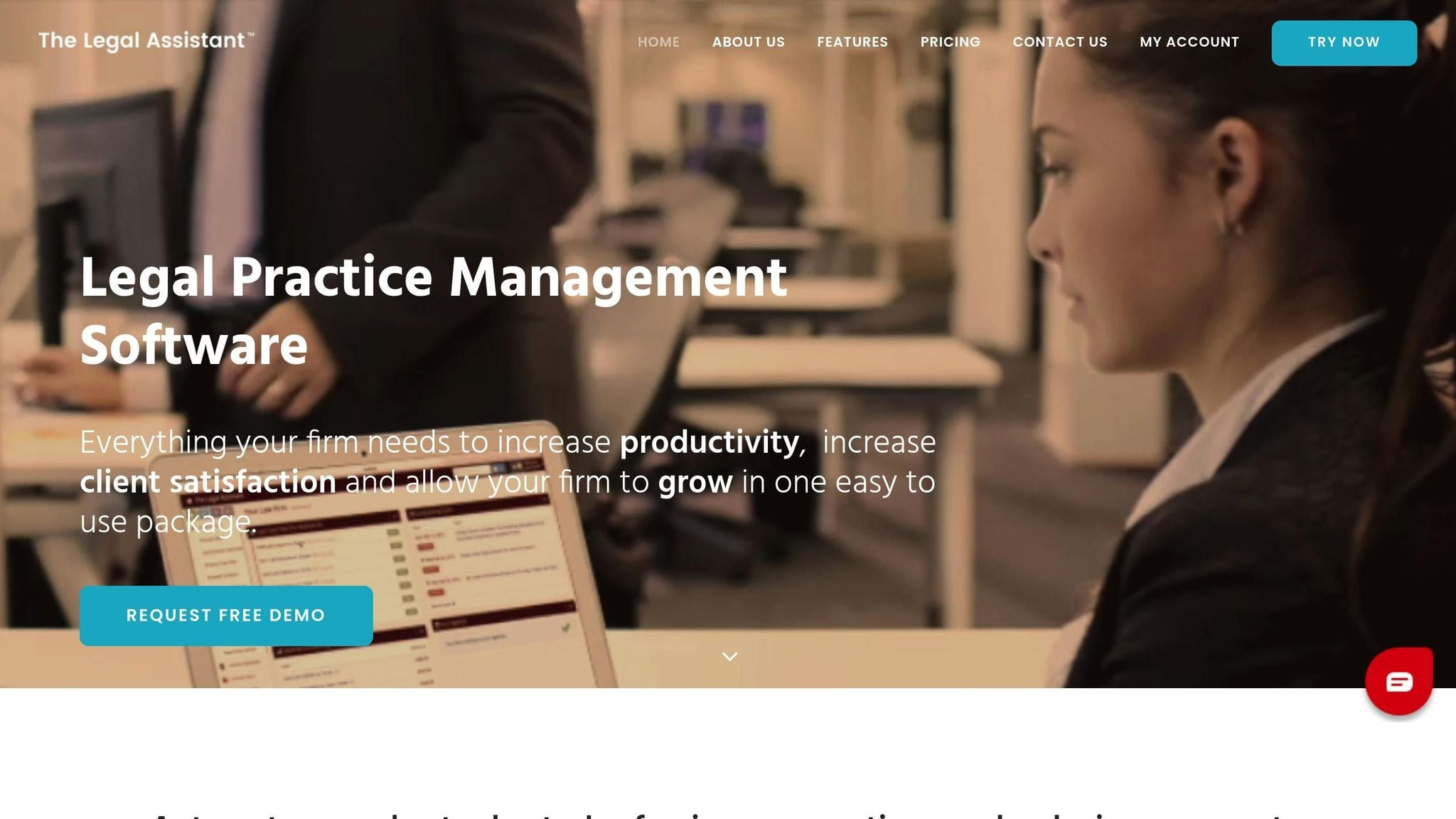
Workflow automation takes care of repetitive administrative tasks, so you don’t have to. Instead of spending time creating documents, tracking deadlines, or sending reminders manually, automation ensures these tasks are done quickly and accurately. With The Legal Assistant, workflows are tailored specifically for law practices, giving you back valuable hours each day while reducing errors.
Here’s an example: when a new client signs a retainer, The Legal Assistant can automatically set up a case file, assign tasks to staff members, and send a welcome email – all without manual intervention. To get started, focus on automating one or two high-volume processes, like client intake or standard document creation. Track how much time you save and how errors decrease, then gradually expand to other areas. Notably, 90% of small law firms say administrative work cuts into their billable hours. By automating these tasks, you’re not just saving time – you’re creating a more efficient foundation for your practice.
Automate Document Creation and Management
Drafting documents can be a major time drain, but The Legal Assistant makes this process almost effortless. By auto-filling client information into reusable templates, it reduces drafting time from 45 minutes to under 5. Instead of typing in client names, addresses, or case details repeatedly, the system does it for you.
The software can generate custom legal documents – like non-disclosure agreements, lease contracts, or engagement letters – in just seconds. It uses workflows that adapt based on your specific inputs. For instance, if you’re preparing a lease agreement, the system asks targeted questions and updates the document using conditional logic. Beyond document creation, this type of automation can also streamline task assignments and reminders, keeping your practice running smoothly.
Simplify Task Management with Automation
Managing tasks becomes a breeze when The Legal Assistant takes over tracking and coordination. The system can set deadlines, assign tasks to team members, and send reminders automatically to ensure nothing falls through the cracks. For example, you can set up “if-then” rules: when a case reaches a specific milestone, like a court date, the system assigns the next tasks to the appropriate team members.
This rules-based approach ensures consistency and eliminates the need for constant oversight. For firms managing a high volume of similar cases, automation leads to fewer errors and faster case progress. Plus, The Legal Assistant integrates seamlessly with tools like Microsoft 365 and Google Workspace, keeping your data synchronized across platforms without creating silos.
sbb-itb-95f4849
Standardize Processes for Better Efficiency
Standardizing processes is a game-changer for improving efficiency. By creating consistent, repeatable systems, you eliminate guesswork and minimize errors in routine tasks. For example, documenting workflows – such as client intake, billing cycles, or file closing – turns unpredictable, experience-based tasks into clear and structured procedures.
A good starting point is to map out every step of your current process. Once you have the full picture, look for redundancies and aim to cut unnecessary steps by 20%. Take billing as an example: if your process involves multiple handoffs before issuing an invoice, it could be causing avoidable delays. Simplifying this workflow can address revenue lockups and speed things up.
Some common areas that benefit from standardization include client intake forms, document management workflows, time tracking protocols, and communication guidelines. Sharing these documented processes with your team ensures consistency and avoids knowledge silos. In fact, firms that leverage technology to streamline their systems report handling 21% more cases and generating 26% higher revenue compared to those that don’t.
An effective tactic to boost efficiency is the “Touch It Once” rule. This principle encourages staff to complete tasks or respond to emails immediately rather than revisiting them multiple times. When processes are standardized, team members know exactly what to do, allowing them to tackle tasks without delay and reclaim valuable hours each week. This extra time can then be spent focusing on client work, which directly impacts revenue.
Lastly, make sure to include the “why” behind each process in your documentation. Writing the purpose in plain language at the top helps team members understand the goal, empowering them to adapt steps when necessary without needing constant oversight from partners. This clarity not only boosts efficiency but also fosters a sense of ownership within your team.
Use Templates for Common Legal Tasks
Templates are a game-changer when it comes to cutting down on repetitive drafting. Think about it: drafting a standard contract manually takes about 30 minutes. If you’re doing this ten times a week, that’s five hours gone – 260 hours a year! Now, if a paralegal earning $55 per hour is handling this, you’re looking at over $14,000 annually just on repetitive drafting tasks.
With templates, especially those featuring merge fields, you can automate much of this work. These fields pull client data directly from your CRM or practice management software, allowing you to generate polished documents in just seconds. Start by focusing on your most-used documents, like client intake forms, engagement agreements, and service agreements.
But the advantages go beyond saving time. Automation reduces human error, such as outdated clauses or incorrect names and dates – mistakes that can lead to legal risks. Plus, it allows your firm to handle more work without needing to add staff.
“The firms that are growing fastest are the ones embracing smart systems” – Meg Garavaglia, Woven Legal.
Implement Checklists for Repetitive Workflows
Templates are great, but checklists are just as important for keeping workflows consistent. Whether it’s case intake, court filings, or client onboarding, checklists ensure no detail is overlooked. They also save your team from having to rely on memory to recreate workflows.
For instance, a court filing checklist might include steps like verifying deadlines, confirming formatting rules, obtaining signatures, and scheduling follow-up reminders. A client onboarding checklist could cover tasks like sending engagement letters, setting up secure portal access, and entering client data into your system.
When designing checklists, keep the language simple and easy to follow. At the top of each checklist, clearly state its purpose so team members understand the goal and can adapt if needed. This approach not only boosts efficiency but also reduces the need for constant oversight from senior staff.
Delegate Administrative Tasks Effectively
Once you’ve standardized tasks, the next step is to optimize your team’s productivity through strategic delegation. Shifting the right responsibilities to the appropriate team members allows attorneys to focus on their core legal work, aligning with the goal of reducing administrative burdens.
Delegation isn’t just about lightening the load – it directly impacts revenue. When senior attorneys spend time on administrative work, it costs the firm money. In fact, attorneys in firms with well-structured delegation systems generate 20–50% more revenue compared to those juggling everything themselves. Despite this, 81% of North American law firms still rely on manual delegation processes, leading to inefficiencies.
To delegate effectively, start by determining what tasks can be reassigned and to whom. For example:
- Virtual assistants (costing $15 to $40 per hour) can handle scheduling, email filtering, billing support, and client intake.
- Paralegals are ideal for routine legal work like document drafting, legal research, and discovery organization.
- Attorneys should focus on high-level tasks like case strategy and settlement negotiations.
Begin with a task audit: track all activities over a week and categorize them by complexity and the legal expertise required. This will help identify tasks that can be delegated immediately.
Assign Tasks Using Task Management Tools
Once you’ve identified tasks for delegation, task management tools can streamline the process, ensuring clarity and accountability. These tools help create consistent workflows that align tasks with case strategies.
For example, The Legal Assistant’s task management system centralizes task tracking. Use it to:
- Categorize tasks by complexity and urgency.
- Assign tasks based on team members’ skills.
- Store templates to maintain consistency and quality.
- Set specific deadlines (e.g., “Thursday by 5:00 p.m.”) to avoid ambiguity.
You can also group similar tasks together to minimize context switching, which can save up to 9% of annual work time. Analytics dashboards within the tool can help identify bottlenecks and resolve them efficiently, without the need for constant oversight.
Give Support Staff Clear Workflows
Delegation works best when tasks come with clear instructions and context. When assigning work through tools like The Legal Assistant, explain how each task ties into broader case strategies or client objectives. This not only improves results but also empowers staff to take initiative.
To ensure consistency, build repeatable workflows and Standard Operating Procedures (SOPs) into the platform. For example, you could create a detailed client onboarding workflow that includes steps like conflict checks, sending engagement letters, and setting up portal access. This reduces the need for repeated explanations and ensures uniformity across the team.
Feedback loops are another critical element. Use commenting features within the tool to provide constructive feedback on delegated work. Explain why changes were made to help junior staff learn and grow. Additionally, define what “done” looks like by specifying the exact deliverables – whether it’s a formatted document, a research summary, or a call log. Clear expectations lead to better results and fewer revisions.
Streamline Billing and Calendar Integration
Managing tasks effectively is just one piece of the puzzle – streamlining billing and calendar functions is another game-changer for improving efficiency. Billing and scheduling often eat up a significant chunk of an attorney’s day, with lawyers losing four to six hours daily to non-billable administrative work. Many of these tasks, however, can be automated, freeing up valuable time.
By centralizing billing and calendar functions on one platform, you can cut down on repetitive data entry, minimize errors, and speed up cash flow. The Legal Assistant combines billing management and calendar integration into a single system, enabling you to track time, generate invoices, and manage deadlines without bouncing between tools.
Automate Billing for Accuracy and Efficiency
Manually tracking billable hours is not only tedious but also costly. Delaying time tracking until the end of the day can result in a 10–15% loss of billable hours, while waiting until the end of the week can lead to a staggering 50–70% loss. This inefficiency costs North American law firms between $28–56 billion annually, with attorneys spending an average of 3.1 hours per month on timesheet administration.
“The problem is not that lawyers aren’t working. The problem is that the administrative systems supporting legal billing operations have failed to keep pace with how legal work actually happens.” – CaseClock
The Legal Assistant’s billing system solves these issues by automating the entire process. Its real-time time tracking feature ensures that work is logged as it happens which is up to three times faster than typing.
Use Integrated Calendars for Better Scheduling
Relying on scattered calendars and manual tracking can lead to missed deadlines and scheduling conflicts. The Legal Assistant’s integrated calendar system brings all scheduling into one centralized location. You can create shared calendars for each case so that attorneys, paralegals, and support staff can easily access important dates like hearings, deadlines, and meetings. Using a consistent naming format (e.g., [MAT-2026-005] COURT – HEARING: CMC) makes it easier to scan and locate events quickly.
Set up multi-interval reminders – for example, 14 days, 7 days, and 1 day before a deadline – to ensure nothing slips through the cracks. Additionally, client scheduling becomes seamless. When a client books an appointment, the system automatically syncs it to the master calendar and can trigger additional steps like sending intake forms or engagement letters.
“Deadlines win cases – or lose them.” – Gillian P. Turing, A.I. Solutions, Inc.
Use Time-Blocking and Email Management Strategies
Once you’ve streamlined billing and calendars, the next step is taking control of your schedule and email workflow. Lawyers spend about 66% of their day on emails, leaving only 2.5–3.0 hours for billable work. Constant interruptions and reactive work habits can sap focus and hurt productivity.
By employing time-blocking and managing emails strategically, you can reclaim those hours and ensure your attention is directed toward high-value legal tasks.
Use Time-Blocking to Prioritize Work
Time-blocking is all about allocating specific time slots on your calendar for different tasks – client work, administrative duties, emails, and planning. Instead of checking emails throughout the day, designate specific times to tackle them.
Start by categorizing your tasks using the Eisenhower Matrix. This method divides tasks into four categories: urgent/important, important/not urgent, urgent/not important, and neither. This approach ensures that critical work, like legal analysis or drafting briefs, takes priority over less impactful tasks. Schedule deep work blocks – uninterrupted periods meant for complex, focused tasks. During these blocks, turn off notifications and let colleagues know you’re unavailable.
To handle incoming requests efficiently, use the “4 Ds” principle:
- Delete: Get rid of unnecessary items.
- Delegate: Pass tasks to others where possible.
- Do: Complete tasks that take less than five minutes immediately.
- Delay: Add tasks to your to-do list for later.
The Only Handle It Once (OHIO) principle is another helpful tactic. Instead of repeatedly revisiting emails or tasks, process them fully the first time to avoid unnecessary delays. Also, leave buffer time between blocks to accommodate unexpected developments.
For better visual organization, color-code your calendar to differentiate between focus blocks, meetings, and other activities. Once your work blocks are set, it’s time to refine your email management.
Streamline Email Management
On average, people receive over 120 emails daily and spend more than 15 hours a week managing them. Time-blocking lays the groundwork for better email habits. Instead of constantly monitoring your inbox, schedule 2–3 specific blocks daily for email tasks – morning, midday, and end-of-day, for example.
“Interruptions are par for the course for lawyers. The default standard mode is interruptible mode.”
- Spencer Dixon
Automated filters and rules can save time by sorting emails into folders based on sender, keywords, or project details. For instance, newsletters can go to a “Read Later” folder, while client-specific emails can be routed to their respective folders automatically. Standardized subject lines, such as [URGENT], [FYI], or [ACTION REQUIRED], can also help you prioritize emails at a glance.
Develop an Email Standard Operating Procedure (SOP) to streamline responses. Templates for common replies – like scheduling, FAQs, or acknowledgments – can cut down drafting time. For tasks that take less than five minutes, handle them right away. For more complex tasks, either schedule them during a focus block or delegate them to your support team.
| Email Category | Strategy | Tool/Technique |
|---|---|---|
| Routine/FAQs | Delegate or Automate | Templates & Assistant SOPs |
| Newsletters/Updates | Batch for Low-Energy Time | “Read Later” Folders |
| Quick Tasks (<5 min) | Do Immediately | OHIO Principle |
| Complex Legal Work | Schedule Focus Block | Deep Work / Time-Blocking |
| Non-Urgent Reference | Archive/File | Standardized Naming Conventions |
Outsource Non-Core Administrative Functions
After streamlining billing and email management, it’s time to hand off non-core tasks to external experts. On average, lawyers dedicate just 2.5 to 3 hours a day to billable work, with the rest of their time consumed by administrative tasks like payroll or IT support. These activities don’t generate revenue and can bog down your productivity.
By outsourcing these functions, you can focus on high-value work like litigation strategy, client negotiations, and detailed legal analysis while leaving routine tasks to specialists. Firms that outsource effectively often see operational costs drop by 50% to 70%, while billable hours increase by 40%. This shift allows you to channel your energy into client service and legal strategy, where it truly counts.
“By leveraging fractional administrative support, attorneys can reclaim hours lost to administrative tasks and spend more time on focused, billable work.” – Emily LaRusch, Founder and CEO of Back Office Betties.
Start by conducting a one-week audit of your tasks to pinpoint non-billable work, such as payroll, IT support, transcription, or marketing, that can be outsourced. Common functions to delegate include document formatting, billing, collections, and client intake. Firms that optimize back-office operations this way can save 1% to 2% of their total revenue and cut payroll costs by 30%. This strategy complements earlier efforts in delegation and automation by offloading tasks that don’t require legal expertise.
When choosing an outsourcing partner, focus on those with a legal background and strong security measures. Look for providers familiar with legal terminology, who use encrypted data transmission, conduct background checks, and sign non-disclosure agreements.
The move toward fractional support models is gaining traction. Instead of hiring full-time generalists, firms now bring in specialists for exactly the hours they need – say, 10 hours a week for bookkeeping or 15 hours a month for IT support. Virtual legal assistants, who charge between $15 and $40 per hour, cost about two-thirds less than in-house employees. This approach not only turns fixed costs into manageable variable expenses but also gives you access to top-tier expertise without long-term commitments.
Conclusion
Reducing administrative burdens isn’t about working harder – it’s about working smarter. Many law firms have found that administrative tasks drain valuable billable hours that could be better spent serving clients. This loss of productivity not only affects day-to-day operations but also limits revenue and growth opportunities.
By automating tasks like document creation, billing, and client intake, firms can reclaim time for more meaningful legal work. Standardizing processes helps maintain consistency and safeguards institutional knowledge. Additionally, outsourcing non-core tasks can cut costs by 50–70% while boosting billable hours by up to 40%. These strategies combined offer a practical way to reduce overhead and refocus efforts on legal expertise.
Start by auditing your current workflows to identify inefficiencies. Then, tackle one repetitive task – such as client intake or invoicing – and automate it first. As Tom Martin, Founder and Managing Attorney of Foresight Legal Group, puts it:
“As a lawyer, the value we have to offer is limited by our available time… Lawyers who make the best use of their time will succeed; those who don’t won’t”.
Taking these initial steps sets the stage for a broader digital transformation of your practice.
The Legal Assistant is specifically built to address these challenges. With features like automated document generation, centralized case management, streamlined billing, and calendaring, it simplifies your administrative workload. Priced from $49/month per user (billed annually), it provides everything you need to focus on what matters most: practicing law.
The post How to Reduce Administrative Work in Your Law Practice appeared first on The Legal Assistant.