

In recent months, the cloud-based practice management platform MyCase has introduced a variety of enhancements that share a single theme – they were all inspired by listening to customers.
That is what Kim Coalson, senior vice president for MyCase at AppFolio, its parent company, told me when I sat down with her for an update at ABA Techshow last month.
“We are really customer-service oriented,” she said. “We do a lot of customer visits. All of that listening really guides the changes we make.”
Recent updates – most since January – focus on helping lawyers in three areas, Coalson said:
- Reducing barriers to getting paid.
- Reducing administrative overhead by reducing the steps it takes to complete a task.
- Facilitating client communication.

With regard to getting paid, MyCase now allows lawyers to create and send invoices that include a secure link that the client can click in order to make an electric payment. In the past, invoices had to be delivered via the client portal and clients had to log in to the client portal in order to make a payment. Now, lawyers can send invoices containing the secure link and clients can follow the link to make payments, all without accessing the portal.

With regard to reducing the steps to complete a task, MyCase now creates a default set of folders every time a user creates a new case. Users can create and customize default sets of folders for types of cases, areas of law, or whatever purpose they wish. These folder sets serve as templates that save the need to create folders manually for each new matter.

MyCase also updated the process for adding new cases and contacts, making it a one-step process. Now, while creating a case, the user can add the client’s complete contact information. Alternatively, a user can create a case directly from the updated “Add Contact” form by clicking “Save & Add Case.”

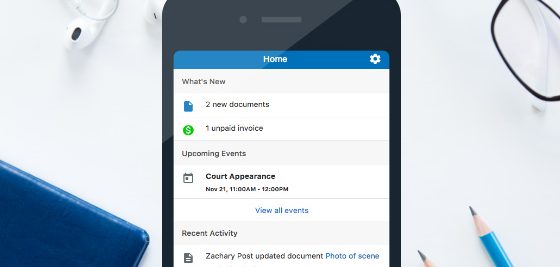
With regard to facilitating client communications, MyCase rolled out a responsive version of its client portal that can be used on any device. Whether accessing the portal on a computer, tablet or mobile phone, the client gets the same experience due to the responsive design. Also new in the client portal, clients can view folders you’ve shared with them, and any documents within those folders.
Along with rolling out this responsive version of the portal, MyCase got rid of the portal app it previously offered.
“We are now releasing updates as often as three times a week,” Coalson said. “Our developers are really wanting to get stuff out.”