

Looking beyond eSignature and swapping DocuSign for an all-in-one contract automation platform will give you access to the full range of features a legal team needs to move faster and scale.
Getting documents securely signed is a good start – but is it enough? While DocuSign’s eSignature credentials are strong, legal teams looking for a comprehensive, scalable solution for contracts often run into its limitations quickly.
This page explores the features, limitations and pricing of DocuSign, in comparison to Juro’s all-in-one contract automation platform. Use the menu below to navigate this page.
Juro vs DocuSign: feature comparison | Benefits | Pricing | Independent reviews | FAQs | Alternatives
Juro vs DocuSign: feature comparison
| Features | DocuSign | Juro |
| Rich text editor | ❌ | ✅ |
| Unlimited templates | ✅ | ✅ |
| Natural language Q&A | ❌ | ✅ |
| Internal commenting | ✅ | ✅ |
| External negotiation | ❌ | ✅ |
| Custom branding | ✅ | ✅ |
| Binding eSignature with audit trail | ✅ | ✅ |
| Kanban dashboard | ❌ | ✅ |
| Renewal reminders | ❌ | ✅ |
| Approval workflows | ❌ | ✅ |
| Conditional logic | Enterprise plans only | ✅ |
| Custom table views | ❌ | ✅ |
| Analytics | ❌ | ✅ |
| Dedicated customer success manager | Enterprise plans only | ✅ |
| User access levels | Enterprise plans only | ✅ |
| Single sign-on | Enterprise plans only | ✅ |
| Bulk actions | Enterprise plans only | ✅ |
| Salesforce integration | Enterprise plans only | ✅ |
| Workday integration | Enterprise plans only | ✅ |
| Greenhouse integration | Enterprise plans only | ✅ |
| Google Drive integration | Enterprise plans only | ✅ |
| Slack integration | ❌ | ✅ |
| REST API & webhooks | Enterprise plans only | ✅ |
While DocuSign has some powerful features – particularly the depth of its eSignature solution – many essential features for legal teams are either missing, or have to be bought separately and paid for on top of per-envelope pricing that already escalates quickly.
Key pain points that users encounter with DocuSign are:
- Lack of flexibility: any small change requires the contract to be reissued from scratch
- No conditional templates: users have to manually select the correct terms, rather than using automation
- Poor counterparty experience: signatories can’t review the document smoothly from one central, intuitive UI
- No data layer: key metadata isn’t captured making it hard to search and report on contract data
For a deep set of features to help visionary legal counsel and the teams they enable to agree and manage contracts in one unified workspace, it’s worth considering the benefits of an all-in-one contract automation platform.
Juro benefits
✍️ There’s more to contracts than signing
DocuSign is the first port of call for many businesses looking to get contracts securely eSigned. But it can’t do much more than electronic signature – if you need to create and edit beautiful templates, collaborate with colleagues, set up approvals, handle in-browser negotiation or benefit from post-signature features and analytics, you’ll need separate systems too. Juro’s all-in-one contract automation platform covers every stage of the contract lifecycle, in-browser, with transparent pricing that scales with your business.
⚙️ Replace several tools with one
DocuSign’s focus on electronic signature means your contract workflow will almost certainly also need to include Word, a shared drive or Dropbox, and an email back-and-forth that creates headaches for your team. Instead, replace this disjointed manual process with one easy-to-use tool that creates just one source of truth – a home for your contracts that makes self-serve automation a reality for your business.
🔗 Don’t pay per envelope – or per integration
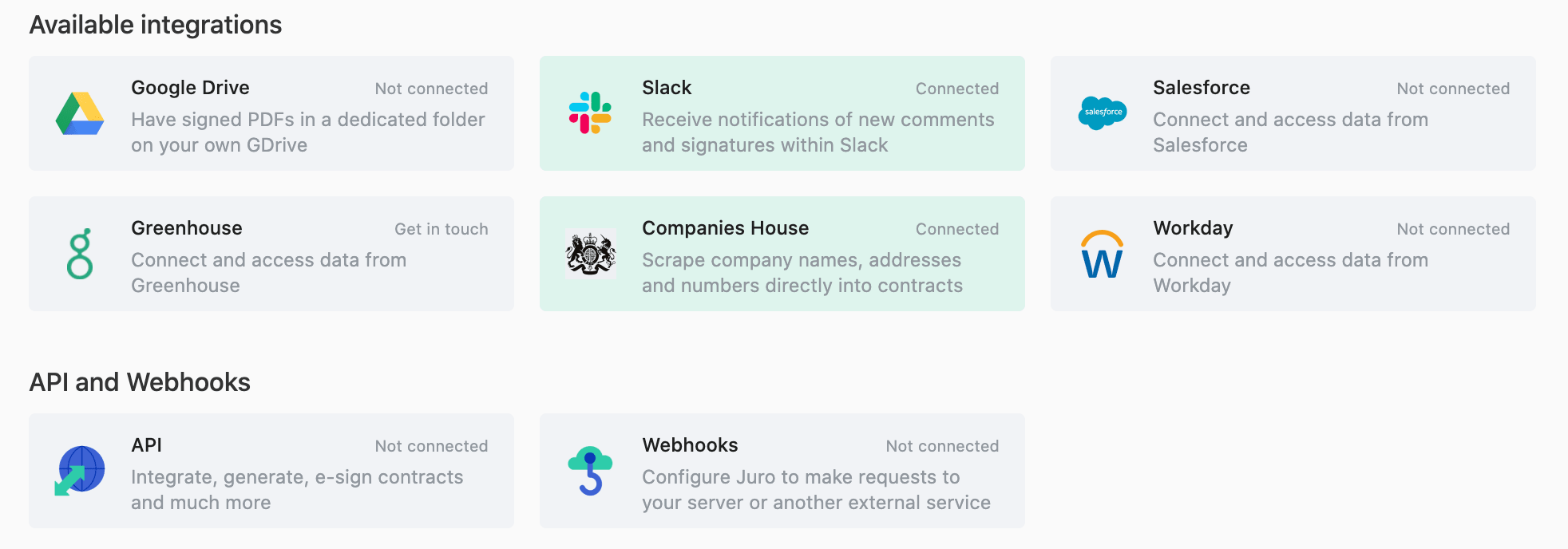
DocuSign’s pay-per-envelope pricing model will help you get started, but you’ll be punished financially as your contract volume grows. Juro Team subscription plans offer unlimited contracts and templates for a transparent fee, meaning you don’t need to worry about the cost of signing more deals. Plus, unlike DocuSign, you don’t need an enterprise plan to benefit from our integrations with Salesforce, Slack, Workday, Greenhouse and Zapier.
🔐 Digital collaboration – not locked PDFs
Editing in DocuSign means voiding the document, starting again and re-uploading. With Juro’s collaborative workflows, you can work securely in real time, in-browser, on your contracts – whether that’s tagging team members for comments, or negotiating contracts with counterparties online.

📈 Capture actionable contract data
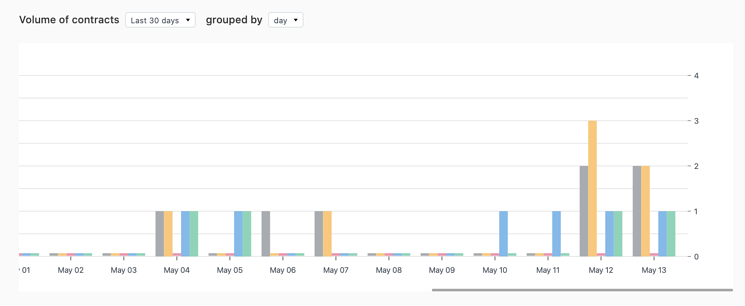
PDFs in DocuSign don’t capture usable metadata, meaning your negotiation history is likely gone forever. It’s also hard to search within PDFs as they’re built from unstructured data, meaning you need to pay for AI contract review to find out what’s in your own contracts. Juro’s contract editor creates digital documents from structured data, so metadata is always captured. Contracts are searchable from day one thanks to a data-rich repository that helps you manage contracts effortlessly post-signature.
👥 Manage templates and teams
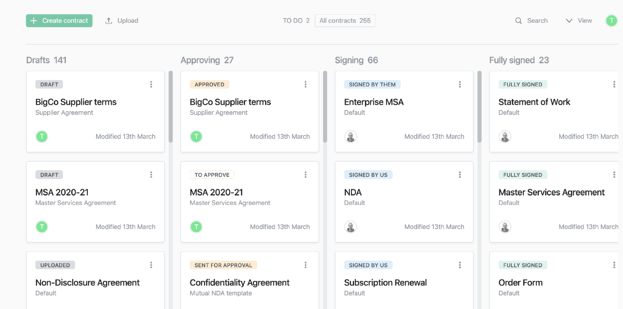
Management of DocuSign PDFs tends to happen in emails, which can be difficult to keep track of. If you’d rather stay in control, Juro’s all-in-one contract automation platform includes collaborative features for team members. Set individual access levels, create custom table views and dashboards, and manage documents through their lifecycle with an easy-to-use Kanban board.
Transparent pricing – starting at free
Juro offers flexible plans to suit any business – pick the plan that’s right for you.
| Free | Lite | Team | Business |
| $0 (1 user, 50 contracts max) | $59/user/month | $90/user/month | Let’s talk. |
| ✅ Template editor | ✅ Everything in ‘Free’ | ✅ Everything in ‘Lite’ | ✅ Everything in ‘Team’ |
| ✅ Internal commenting | ✅ Unlimited templates | ✅ Approval workflows | ✅ Single sign-on |
| ✅ Collaboration | ✅ Audit trails | ✅ Custom table views | ✅ SAML |
| ✅ Native eSignature | ✅ In-browser negotiation | ✅ OCR + data extraction | ✅ Bulk import |
| ✅ Kanban dashboard | ✅ Renewal reminders | ✅ Analytics | ✅ Bulk actions |
| ✅ Slack integration | ✅ CSV export | ✅ Salesforce integration | |
| ✅ GDrive integration | ✅ Dedicated support | ✅ Greenhouse integration | |
| ✅ Company data integration | ✅ User access levels | ✅ Workday integration | |
| ✅ Zapier integration | ✅ REST API | ||
| ✅ Webhooks |
Ready to replace several tools with an all-in-one contract automation platform? 👇