

Accepting various forms of payment is important in the competitive world of the legal industry. Along with accepting payments comes great responsibility in the handling of the process; you must ensure certain rules of ethics are followed, and client confidentiality and security are crucial. LawPay is the most trusted credit card processing company that works exclusively within the legal community, offering a secure method of accepting credit card payments. TimeSolv combined with LawPay means you not only have an incredibly intuitive and comprehensive billing system, but also a widely approved credit card payment processing service. This week’s Tip of the Week will walk you through how you can link up your LawPay account with TimeSolv.
Setting things up within LawPay
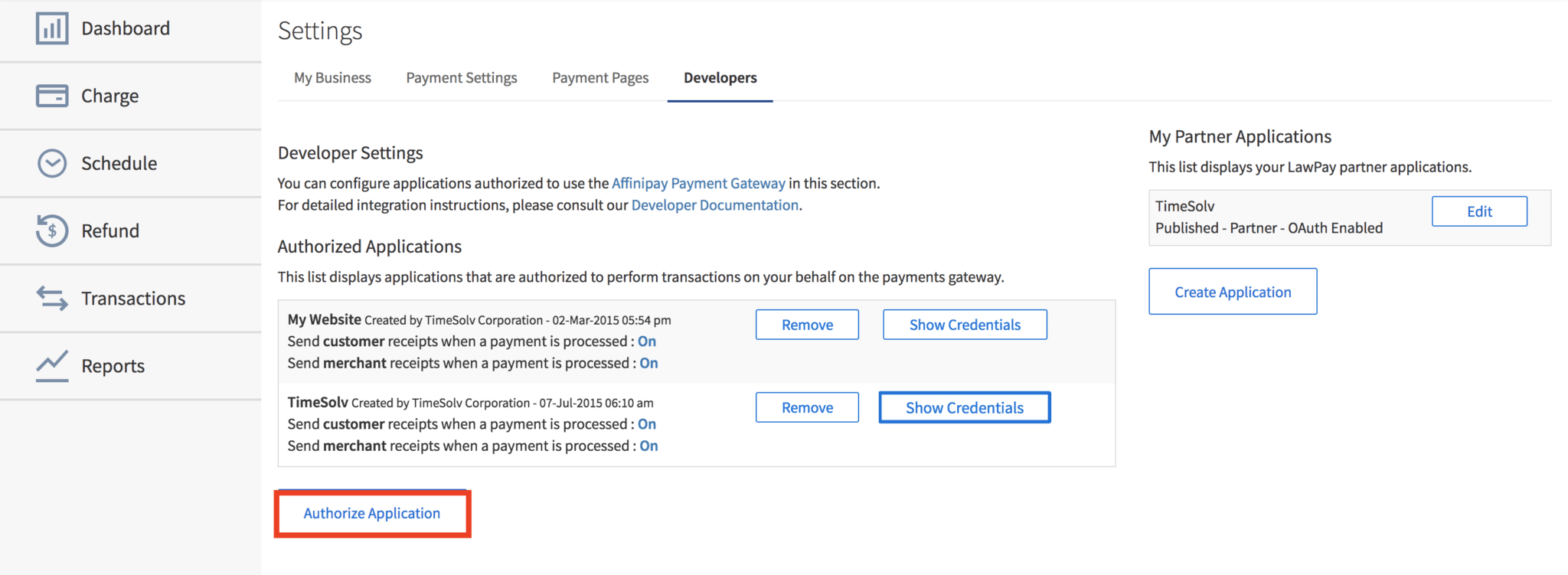
To begin with, you’ll need to link up your LawPay and TimeSolv accounts within LawPay. So go ahead and log into your LawPay account. Click on your username on the top right corner of the screen, and select ‘Settings‘ from the drop-down menu. Then click on the Developers tab. At the bottom, you’ll see an Authorize Application button.
Clicking on the Authorize Application button will launch a small window requiring you to select the application you would like to authorize. Select TimeSolv from the dropdown list of options, and click on the Authorize Application button.
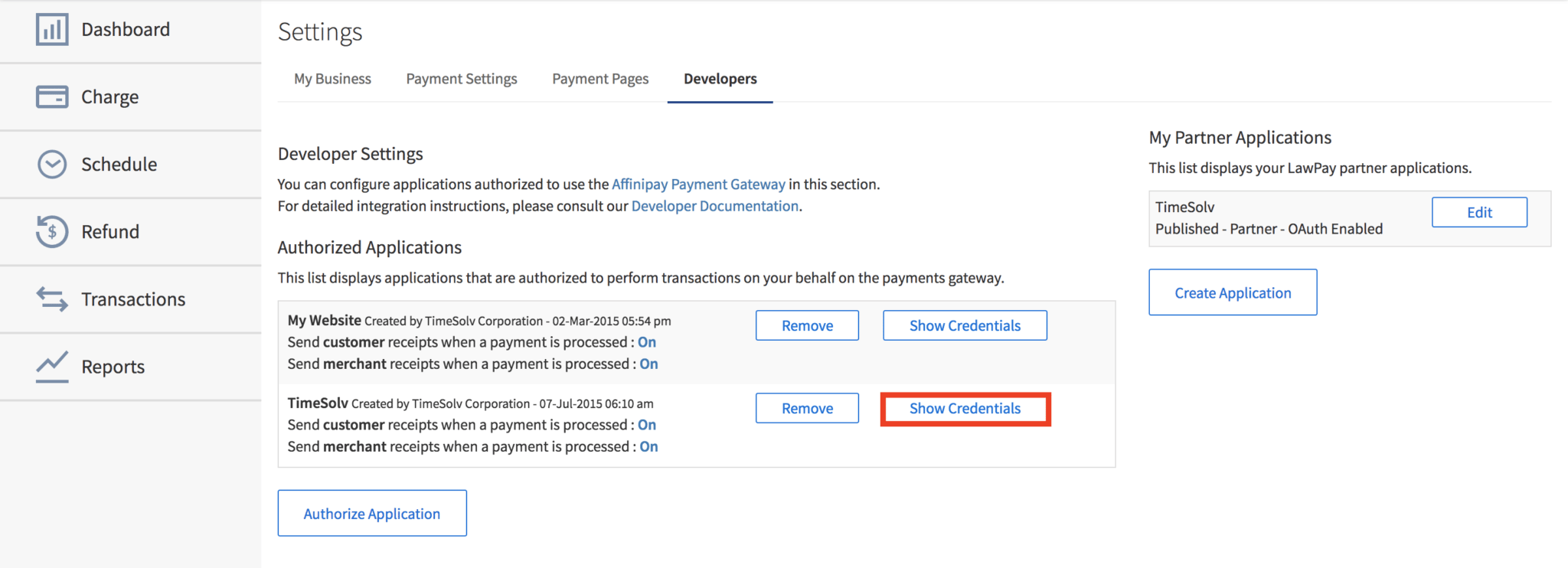
Next, you need to obtain the secret key that you need to provide to TimeSolv. Click on Show Credentials button, and a small window will pop up with a series of keys. Click on the Live Credentials tab and copy the ‘Live Secret Key‘ onto your clipboard.
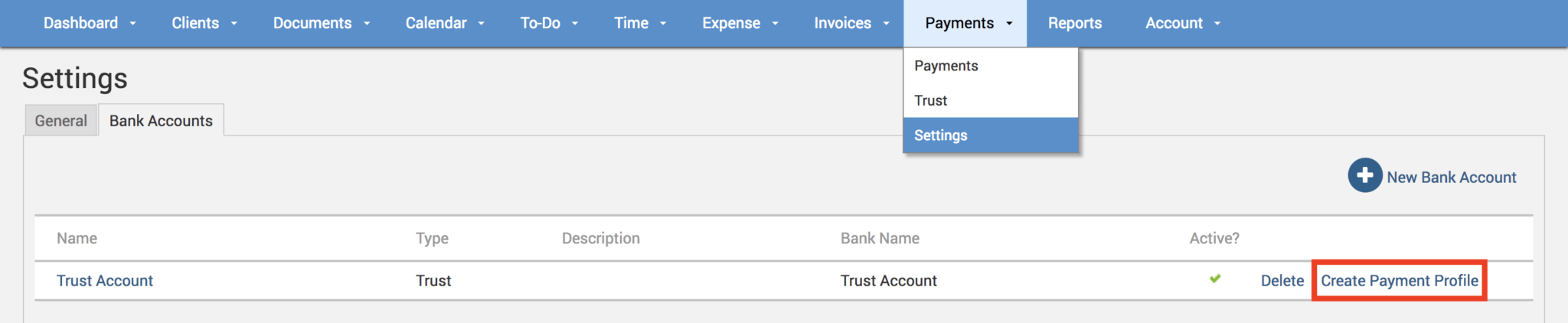
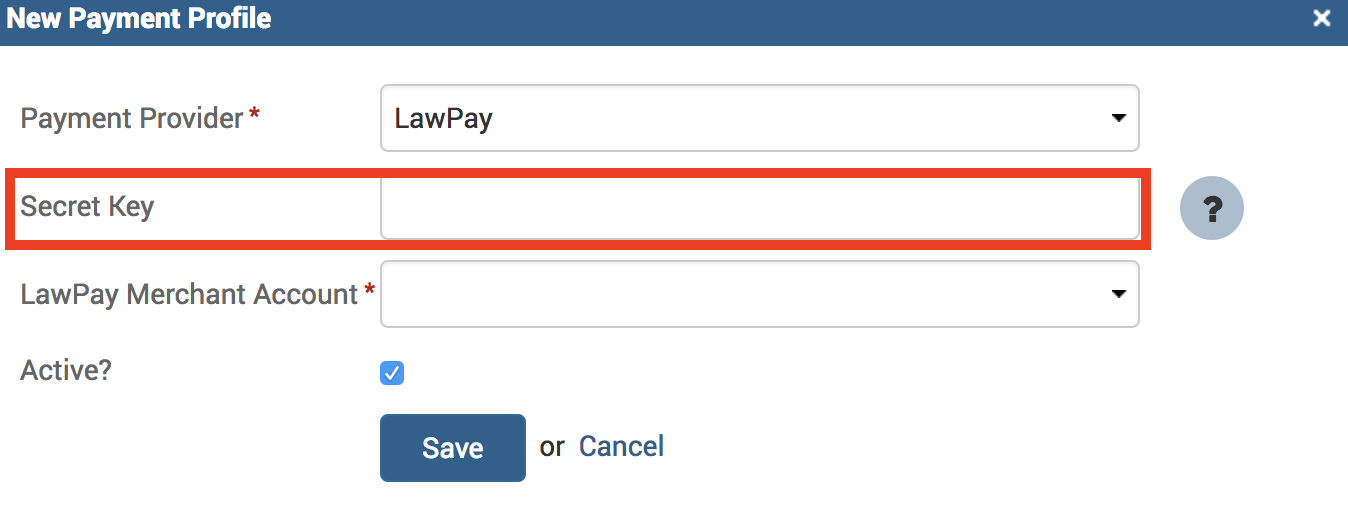
Setting things up within TimeSolv
Accept LawPay payments
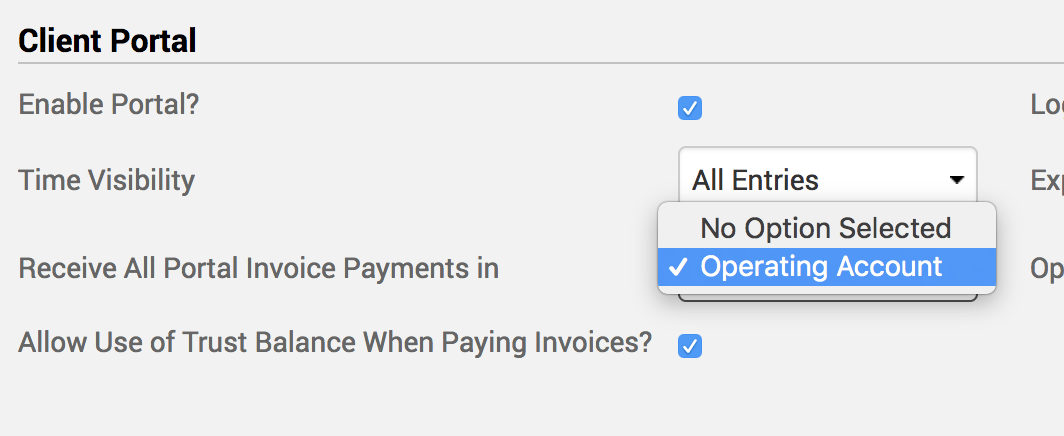
Now you can finally start to accept LawPay payments! Ensure under Clients>Settings>General that the ‘Enable Portal?‘ checkbox is enabled.
Below the checkbox, select the payment profile that you linked LawPay with. So, for example if I selected my account named Operating Account when pasting the LawPay secret key in the steps above, that’s the one I want to pick from this drop-down here as the payment acceptor.
What’s great is that your clients don’t even need to have a login credential assigned to them on the client portal. Clients get a link right in their invoice email and can pay immediately. But if you do choose to set up clients on the portal, the benefits will be that clients can independently view invoices, payment histories, trust balances, and details of work in progress, allowing you to focus on other areas of your business.
If you’d like TimeSolv support to help you with integrating your LawPay account, please call 1.800.715.1284 or schedule a FREE 30-minute session now!

The post Tip of the Week: LawPay Integration appeared first on TimeSolv.